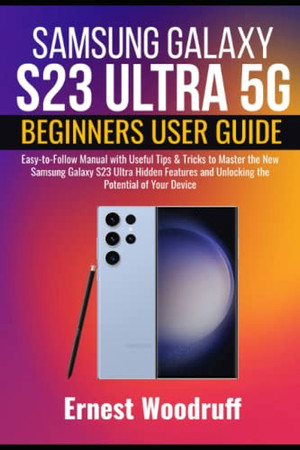
Samsung Galaxy S23 Ultra 5G Beginners User Guide
Easy-to-Follow Manual with Useful Tips & Tricks to Master the New Samsung Galaxy S23 Ultra Hidden Features and Unlocking the Potential of Your Device
2023 · 194 pages
Easy-to-Follow Manual with Useful Tips & Tricks to Master the New Samsung Galaxy S23 Ultra Hidden Features and Unlocking the Potential of Your Device
2023 · 194 pages
The Samsung Galaxy S23 Ultra is the highest device in terms of overall performance in the lineup of the Galaxy S23 series. It houses the S Pen and a new 200 MP in the back of the device. For battery life, the S23 Ultra has 5,000 mAh, which means the device can perform many functions. Additionally, for video playback time, the Galaxy S23 Ultra can stay up to 27 hours, up to 30% more than the S22 Ultra. With your charging cable, you can charge the S23 Ultra at 45W faster. This guide teaches you everything there is to know about the Samsung Galaxy S23 Ultra, including how to set it up, its features, how to transfer content from an old device, how to use Samsung Pay, how to use Samsung health, how to use the phone app, how to use the camera app, and so much more. Undoubtedly, at the end of this guide, you will be equipped with all there is to know about the Galaxy S23 Ultra and become an expert when using the device. The below contains what you stand to learn from this guide: Features of the Galaxy S23 Ultra Samsung Galaxy S23 Ultra Description How to set up your Galaxy S23 Ultra How to power on/off your device Transferring from an old device to a new device How to insert SIM cards Making use of the Lift to Wake feature How to lock/unlock your device Auto restart your device Customize the Home Screen and Lock Screens How to add custom widgets to the Home Screen Customize notification features Customize the edge screen display The Samsung Galaxy Store How to download and install apps Galaxy Wearable How to create or log into your Samsung account Making use of Samsung Pay Setting up the Internet on your device How to connect to a Wi-Fi network Connect to a nearby device scanning Connect with Mobile Hotspot How to add Virtual Private Networks Using S Pen How to configure the S Pen How to charge the S Pen Taking photos with the S Pen How to reset the S Pen Changing the color of the S Pen ink Access S-Pen settings About Bixby How to set up and use Bixby How to activate Bixby Vision How to use fast-charge and wireless charging How to use wireless power-sharing How to change the Screen Timeout Navigating through the device using gestures Making use of the Navigation bar How to change the Navigation bar through Settings How to view and edit photos How to play and edit videos How to share videos and photos How to delete videos and photos How to record a Slo-mo video Making use of the Live Focus feature How to use night mode How to use AR Doodle How to use PENUP How to adjust keyboard settings How to copy and paste text How to take screenshots How to activate screen recording Enable One-Handed mode Activate Dark Mode Phone app Making a phone call How to send Messages How to delete Conversations How to send SOS messages How to block annoying messages Basic troubleshooting issues How to update your software How to reset the network How to reset factory data And many more.... This Manual is ideal for both Beginners and Experts to maximize User Experience. So what are you waiting for? Scroll up and Click the Orange - BUY NOW WITH 1-CLICK BUTTON- on the top right corner and Download Now!!! You won’t regret you did See you inside!!!
Rummaging the shelves…
Loading reviews…