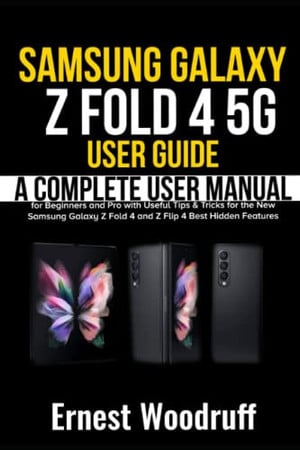
Samsung Galaxy Z Fold 4 5G User Guide
A Complete User Manual for Beginners and Pro with Useful Tips & Tricks for the New Samsung Galaxy Z Fold 4 and Z Flip 4 Best Hidden Features
2022 · 250 pages
A Complete User Manual for Beginners and Pro with Useful Tips & Tricks for the New Samsung Galaxy Z Fold 4 and Z Flip 4 Best Hidden Features
2022 · 250 pages
The Galaxy Z Flip 4 and the Galaxy Z Fold 4 are the latest foldable devices released and both devices provide users with unique experiences and enhanced performance that will make you always want to stay on your device throughout the day. Both devices are foldable, but they have different looks and devices. In terms of the larger screen, the Galaxy Fold 4 boasts of a larger screen and, notwithstanding that advantage, both devices still come with several new functions and features. At the end of this guide, you will become a Pro when using both the Galaxy Z Fold 4 and Z Flip 4 Smartphones. Here is a snippet of what you stand to learn from this guide: Specifications and Features of the new Z Fold 4 and Z Flip 4 How to set up your new device How to charge the battery How to transfer data from an old device How to set up voicemail How to lock and unlock your new device How to customize your home screen How to use Bixby How to use Always on Display How to use Multi window How to enter emergency mode Digital wellbeing and parental control Camera app How to use the camera screen How to use AR Zone How to configure shooting mode How to use live focus How to record videos How to use scene optimizer How to use super slow-mo How to use super steady Using S Pen How to connect to Wi-Fi and Bluetooth How to use contactless payment and NFC How to set notifications Security and Privacy Facial Recognition Biometrics PIN and Password Using Samsung Pass How to use a secure folder How to remove apps from a secure folder How to hide a secure folder How to uninstall secure folder Gallery How to view pictures How to edit pictures How to play video How to share videos and pictures How to create a movie How to take a screenshot Using Samsung Health Using Samsung Notes Using Samsung Pay How to make calls using the natural way How to use the messages app How to add and delete contacts Bixby Vision How to open Bixby Vision How to use Bixby Vision How to add routines in Bixby Troubleshooting issues And many more.... This Manual is ideal for both Beginners and Experts to maximize User Experience. So what are you waiting for? Scroll up and Click the Orange - BUY NOW WITH 1-CLICK BUTTON- on the top right corner and Download Now!!! You won’t regret you did See you inside!!!
Rummaging the shelves…
Loading reviews…