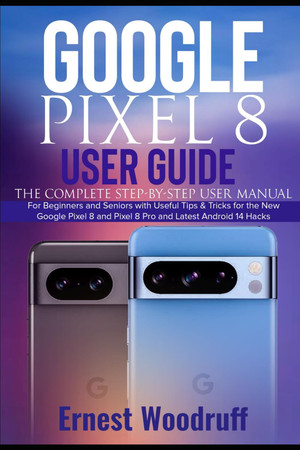
Google Pixel 8 User Guide
The Complete Step-by-Step User Manual for Beginners and Seniors with Useful Tips & Tricks for the New Google Pixel 8 and Pixel 8 Pro and Latest Android 14 Hacks
2023 · 337 pages
The Complete Step-by-Step User Manual for Beginners and Seniors with Useful Tips & Tricks for the New Google Pixel 8 and Pixel 8 Pro and Latest Android 14 Hacks
2023 · 337 pages
The new Google Pixel 8 and 8 Pro have been released, replacing the previous models (Google Pixel 7 and 7 Pro). These new devices offer numerous new features and functions, such as enhanced battery capacity, camera systems, and performance. Besides improved cameras, displays, and CPU, the Google Pixel 8 and Pixel 8 Pro are also more affordable and budget-friendly. The Call Screen function, which lets the Google Assistant handle calls and filter out spam, has been enhanced by Google. It can now understand more of the call's context and the Assistant's voice sounds more natural. One of the most notable additions, however, is a photo editing tool called Best Take that lets you change a person's expression in a group shot. By introducing Android 14 and Google Tensor 3, you are guaranteed to have a fast OS without lagging. This guide will teach you about the new features and functions of the Google Pixel 8 and 8 Pro. It covers topics such as device setup, SIM card insertion, software updates, data transfer, Digital Wellbeing usage, camera usage with upgrades, troubleshooting, and more. At the end of this guide, you will know how best to navigate and use the new Google Pixel 8 and 8 Pro. Here are some things to learn from this guide: Specifications and Features of the Pixel 8 and 8 Pro How to set up your new devices How to power on/off How to insert the SIM card and set up eSIM How to check for possible software updates How to update the Android version to the latest How to transfer data from your old phone to your new Pixel 8 and 8 Pro How to transfer data from iPhone to Pixel How to make, answer, or reject a call How to view and delete call history How to enable the clear calling feature How to start or set a conference call How to add a number to your phone contacts How to check voice mail How to block and unblock phone numbers How to view your recent and most-called numbers Camera and Phone Settings How to open and close the Camera app How to take pictures and record videos How to disable the shutter sound How to save and delete photos and videos How to snap motion pictures and use Top Shot How to take a selfie with your Pixel 8 and 8 Pro How to take a 360-degree Photo Sphere How to shoot in Panorama How to recognize the Pixel phone settings How to view your memories in Google Photos How to create a movie with Google Photos How to share your movie How to make other creations with Google Photos How to create albums with Google Photos and share the album How to turn old photos into digital ones How to keep your photos private and share your photos with someone special How to adjust the display/brightness settings How to send or unsend messages in Gmail How to video call from Gmail using the Meet tab How to set up your Google Maps Account How to search for a location on Google Maps How to fix Pixel phone won't respond or frozen How to fix a Pixel phone running slow or crashing apps How to fix Pixel phone won't charge or turn on How to fix a Pixel phone with no signal or poor network connectivity How to reset your Pixel 8 and 8 Pro back to its factory settings or safe mode How to fix overheating or draining battery fast How to fix a cracked screen or damaged body And many more..... So what are you waiting for? Scroll up and Click the Orange - BUY NOW WITH 1-CLICK BUTTON- on the top right corner and Download Now!!! You won’t regret you did See you inside!!!
Rummaging the shelves…
Loading reviews…