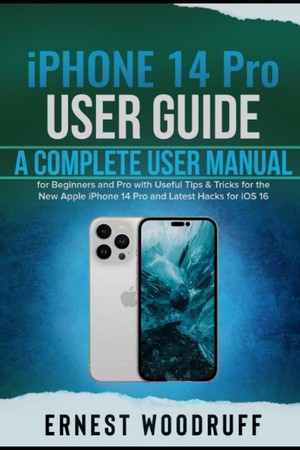
iPhone 14 Pro User Guide
A Complete User Manual for Beginners and Pro with Useful Tips & Tricks for the New Apple iPhone 14 Pro and Latest Hacks for iOS 16
2022 · 241 pages
A Complete User Manual for Beginners and Pro with Useful Tips & Tricks for the New Apple iPhone 14 Pro and Latest Hacks for iOS 16
2022 · 241 pages
Among the four new iPhone 14 models, the Apple iPhone 14 Pro is the most intriguing and stands out among all other iPhone 14 models. It has a redesigned design, improved cameras, CPUs, and displays. Dynamic Island is entertaining to use, and the Always On Display presents a fresh way to interact with the iPhone. In addition, there is a crash detection and emergency SOS feature included in the device. Apple unveiled the iPhone 14 Pro version with much more features than the standard iPhone 14 models, including a speedier A16 CPU, better camera technology, and greater display capabilities. In this guide, you will learn all about the iPhone 14 Pro, including its new features and functions. At the end of reading this guide, you will become an expert when navigating through the different iPhone 14 Pro features and functions. Here are some things you stand to learn from this guide: Features and Specifications iPhone 14 Pro and iOS 16 update How does Always-On Display Function How to Turn on and off iPhone 14 Pro Set up and Activate iPhone 14 Pro Setting up and using the emergency SOS feature on the iPhone 14 Pro How to Set Date and Time New Settings for the New iPhone 14 Pro How to Enable 48MP ProRAW Photos How to Set up Your iCloud with iPhone 14 Pro How to Open Apple ID How to Launch Apple Pay How to Set up Apple Pay How to Use Apple Pay to make purchases How to Lock and Unlock iPhone 14 Pro How to Reset Face ID Controlling iPhone 14 Pro with your Voice How to Set/Change Your Device Language How to Use the New QuickTake Feature How to Use the Control Center on an iPhone 14 Pro How to Customize Control Center Apps How to Check Privacy Access History in Control Center How to Use Siri on iPhone 14 Pro How to Set Up Siri Find out what the iPhone's Siri can do Use Siri to find information or answer questions How to Use Siri with Apps How to Always Show Siri Captions on iPhone 14 Pro How to Change Siri's Voice How to Change Siri's Actions How to solve the iPhone 14 Pro's Siri issue How to Subscribe to Apple Music on your iPhone 14 Pro How to Share Apple Music with Family Members How to Change or Cancel your Apple Music Subscription How to Listen to Audiobooks in Apple Books on iPhone 14 Pro How to Play an Audiobook How to Browse the Web Using Safari on iPhone 14 Pro How to Visit Webpages using Safari How to Preview Website Links How to Add Safari Back to your Home Screen How to Download Files on an iPhone Using Safari How to Change the Default Download Location How to Use Safari's Privacy Report Feature How to Protect Your IP Address in Safari from Trackers How to Change the Background and Start Page in Safari How to Take a Selfie with an iPhone How to Take a Screenshot or Screen Recording on your iPhone 14 Pro How to Save a Full-Page Screenshot as a PDF How to Create a Screen Recording How to Use Portrait Mode How to Adjust Depth Control in Portrait Mode How to Adjust Portrait Lighting Effects in Portrait Mode How to Take Night Mode Photos How to Take ProRAW images Troubleshooting issues And many more….. This is just a few of what is contained in this User Manual, and you can Download FREE with Kindle Unlimited So what are you waiting for? Scroll up and Click the Orange - BUY NOW WITH 1-CLICK BUTTON- on the top right corner and Download Now!!! You won’t regret you did See you inside!!!
Rummaging the shelves…
Loading reviews…