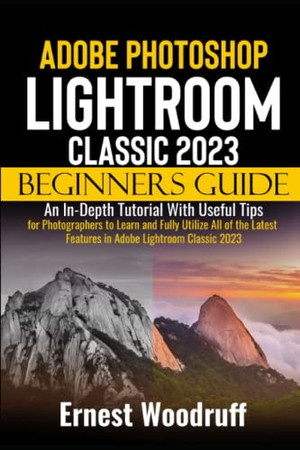
Adobe Photoshop Lightroom Classic 2023 Beginners Guide
An in-Depth Tutorial With Useful Tips for Photographers to Learn and Fully Utilize All of the Latest Features in Adobe Lightroom Classic 2023
2023 · 276 pages
An in-Depth Tutorial With Useful Tips for Photographers to Learn and Fully Utilize All of the Latest Features in Adobe Lightroom Classic 2023
2023 · 276 pages
Adobe Photoshop Lightroom Classic 2023 is an amazing photo-editing app that makes it easy for photographers to organize, edit, and share their pictures. You can turn your pictures into beautiful works of art by using a wide range of editing tools. Additionally, Adobe Lightroom Classic 2023 gives you full creative control over your photos, from simple changes like exposure and contrast to more advanced ones like selective color changes and skin smoothing. There are a whole lot of new features and functions that comes with the Lightroom Classic 2023 that enable one create beautiful photo books and edits, as well as share their finished edits on social media. To begin with, learners will discover how to install Lightroom Classic 2023, how to utilize split toning, constructing a custom workspace, the spot removal process, customizing and using shortcuts, and much more. This guide is well-suited for Newbies and Experts . After reading this guide, you will be a pro at exploring the many Lightroom Classic 2023 functions. Here are some things you stand to learn from this guide: New Features of Adobe Photoshop Lightroom Classic 2023 Advantages of Adobe Photoshop Lightroom Classic 2023 Differences between Lightroom and Lightroom Classic How to download and Install Lightroom Classic How to understand the Lightroom Classic Interface How to create a custom workspace Understand the Library Module Using the Filmstrip View Options Understanding the Develop Module How to activate and use Solo Mode How to understand the Lightroom Classic Catalog System How to move catalogs to a new location How to copy keywords to a new catalog How to use select object How to use the select background feature How to rate and sort your pictures How to set up different view modes on Lightroom Classic How to import photos into Lightroom Classic 2023 How to organize your photos with metadata and keywords How to do selective editing How to adjust white balance and color temperature How to use the histogram How to adjust exposure, contrast, and saturation How to create a black-and-white matte look How to sharpen and use noise reduction How to use the range mask feature to make selective adjustments Creating Photo Books with Lightroom Classic 2023 How to add text and captions to your photo book How to use auto layout to automate your layout process How to customize your background Exporting photos from Lightroom Classic 2023 How to understand the resolution How to understand file formats How to use the map module to geotag your photos How to create slideshows and web galleries How to use the book module to create photo books How to use the print module to create prints and contact sheets Converting RAW files to DNG Advanced Retouching Techniques How to use the transform panel for perspective correction How to understand and use split toning What is Panorama? How to use the Dehaze slider Tips and tricks for using the Calibration pane Best export settings for high-resolution prints How to use the calibration pane How to understand and use the detail panel Troubleshooting Common Lightroom Classic Issues And many more. This Manual is ideal for both Beginners and Experts to maximize User Experience. So what are you waiting for? Scroll up and Click the Orange - BUY NOW WITH 1-CLICK BUTTON- on the top right corner and Download Now!! You won’t regret you did See you inside!
Rummaging the shelves…
Loading reviews…